
Text your members from your club's own phone number, for news that can't wait. Before the first text, your club registers its number with the phone carriers, and their review can take up to a week, so start early.
Why use it
A text reaches members who rarely read email, within minutes: a field closed after rain, or a meeting moved at the last minute.
Phone carriers treat every club that texts as its own sender, so each club gets its own toll-free number, registered under the club's name. LongTable buys the number and files the registration for you.
Start early. Approval usually takes a few days and can take up to a week. Everything else in LongTable works as normal meanwhile.
Texts go only to members who agreed to get them, and each member can stop them by replying STOP. Keep texts for news that can't wait, so members keep saying yes.
Register your club's number
Watch it done in 25 seconds, or follow the steps below. The numbers in the video match the steps.
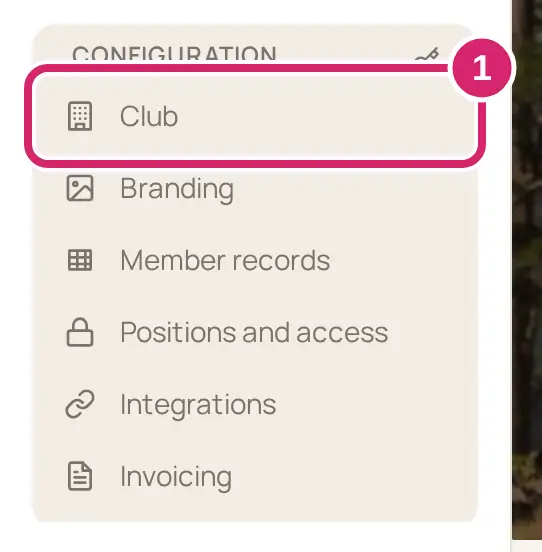
Go to Configuration › Club and open the Texting tab.
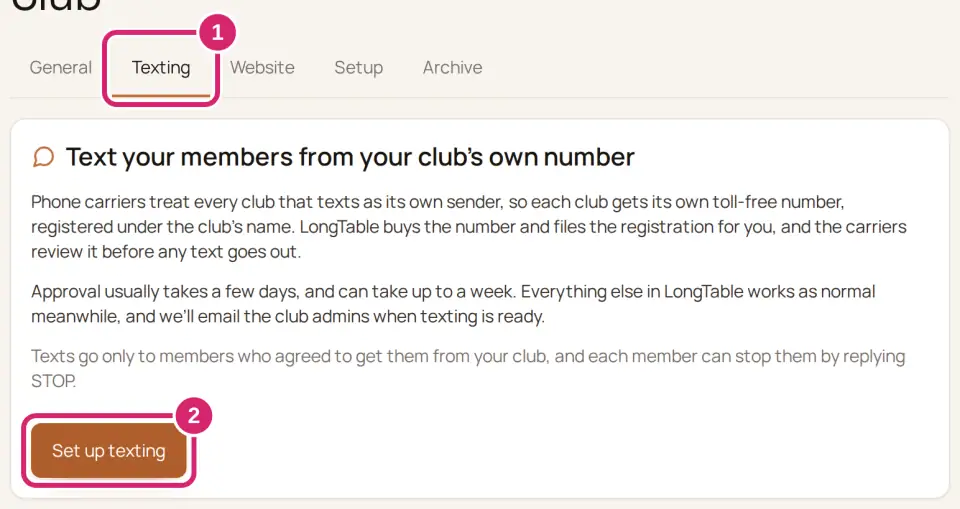
Select Set up texting.
Answer Does your club have an EIN? An EIN is the club's federal tax ID. Clubs with a bank account in the club's name usually have one, and your treasurer will know.
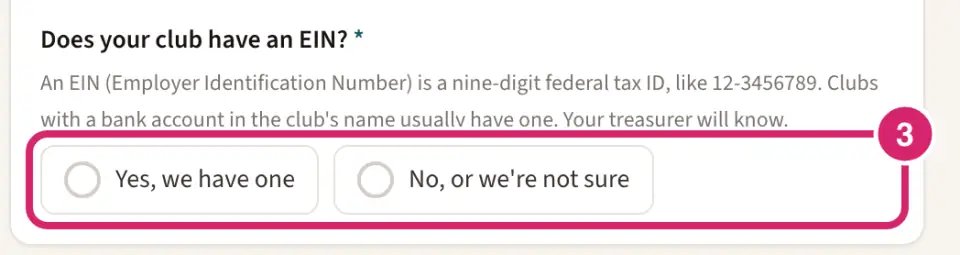
Yes, we have one — choose it when the club has its own EIN. The number is registered under the club's legal name, so it stays the club's through every change of officers.
No, or we’re not sure — choose it when the club has none, or nobody can find it. You can register under your own name, or get an EIN first.
Fill in the questions that follow your answer.
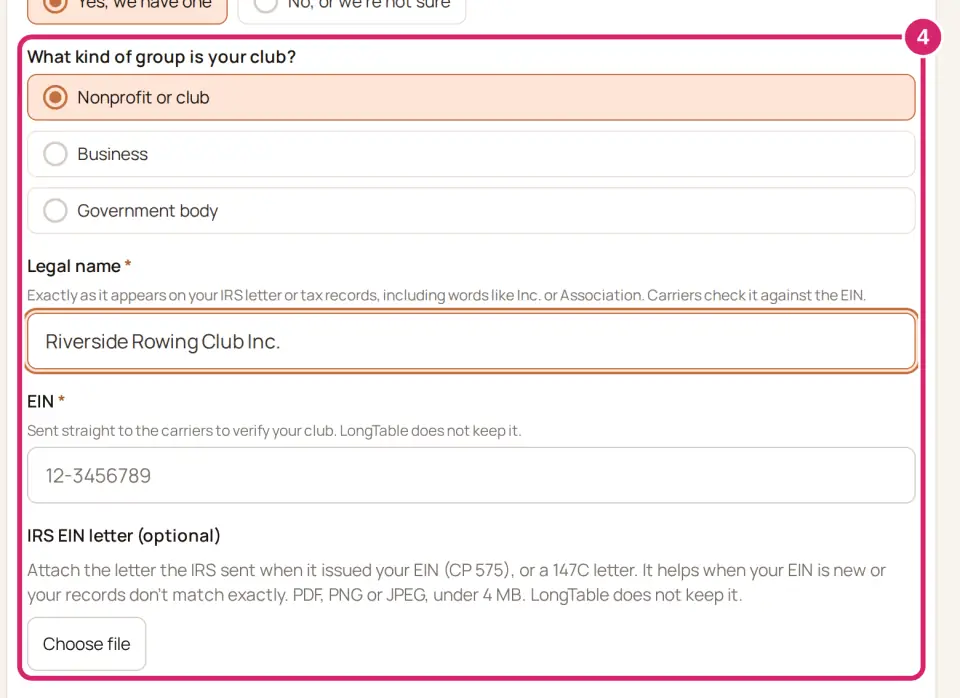
With an EIN: under What kind of group is your club? choose Nonprofit or club, Business or Government body. Most clubs are Nonprofit or club. Enter the Legal name exactly as it appears on your IRS letter or tax records, including words like Inc. or Association, and the EIN. If your EIN is new, or your records don't match exactly, attach the IRS EIN letter (optional) with Choose file: a PDF, PNG or JPEG under 4 MB. LongTable keeps neither the EIN nor the letter; they go straight to the carriers.
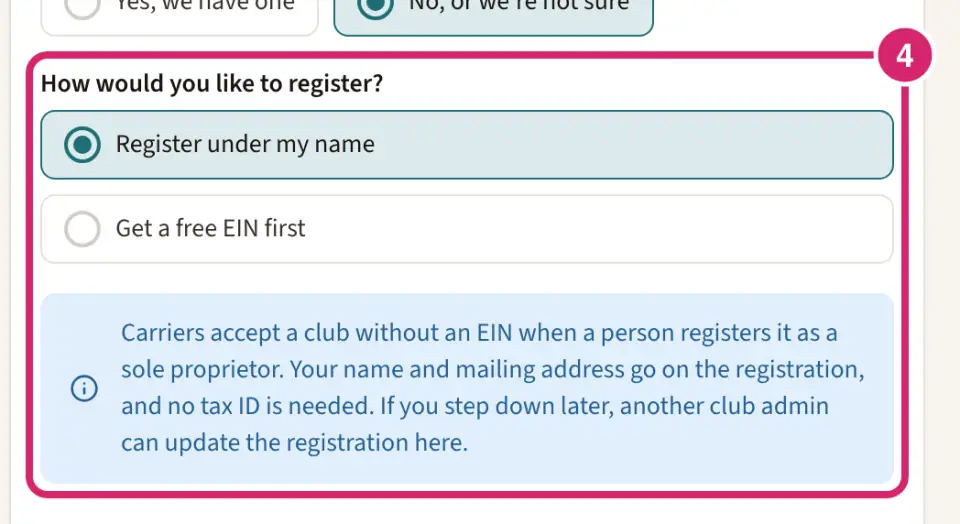
Without an EIN: under How would you like to register? choose one.
Register under my name — choose it to start today. You register as a sole proprietor: your name and mailing address go on the registration, and no tax ID is needed. If you step down later, another admin can update the registration.
Get a free EIN first — choose it when the number should be in the club's name. Select Apply for an EIN at irs.gov. The IRS issues one online, free, usually in about 15 minutes. Then come back, choose Yes, we have one, and attach the confirmation letter the IRS gives you.
Under Contact person (You when you register under your name), enter a First name, Last name, Email and Phone. Your own name and email are filled in to start.
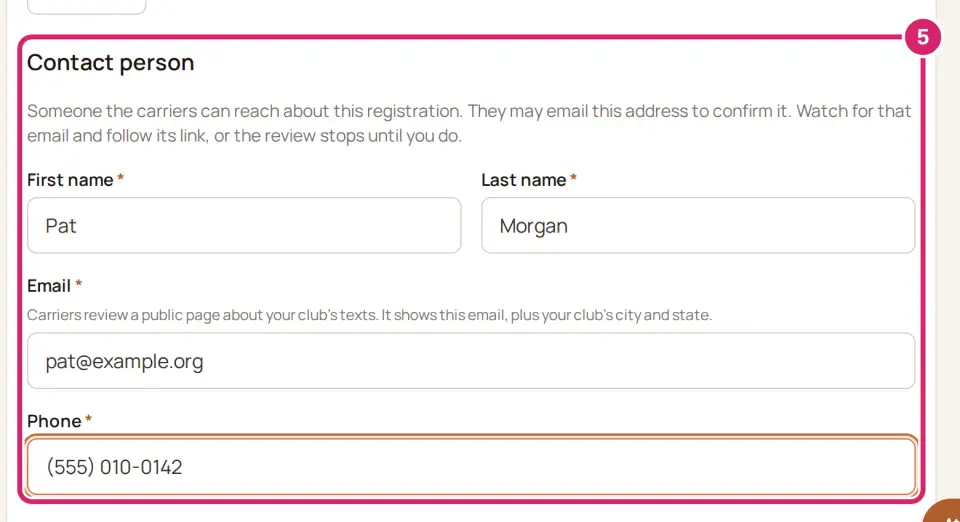
The carriers may email this address to confirm the registration. Watch for that email and follow its link, or the review stops until you do. They also review a public page about your club’s texts, which shows this email and your club’s city and state, so use an address the club is happy to show.
Under The club’s address (Your mailing address under your name), enter the Street address, City, State and ZIP code. There is no website to enter: the carriers review LongTable’s public page about your club’s texts, which anyone can open even while your club’s site is private.
Turn on Members agreed to these texts. It confirms that members who get texts from your club agreed to them, and accepts the Text message terms for your club.
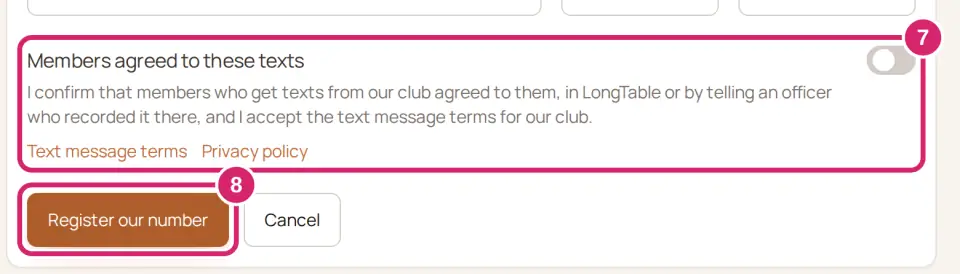
Select Register our number. It can take up to a minute.
LongTable buys your club's number and sends the registration to the carriers. Registering also turns texting on, so texts can go out as soon as the carriers approve.
Follow the review
The Texting tab shows where your registration stands, and we email the club's admins when the carriers answer.
Setting up — we're buying the number and filing the registration. The page updates by itself.
Pending review — the carriers have it. Approval usually takes a few days, and can take up to a week.
Check your email — the carriers emailed the contact person to confirm the registration. Open that email and follow its link, and the review carries on. Admins get an email titled Confirm your club’s texting registration.
Needs changes — the carriers turned the registration down, and What the carriers said lists their reasons. Select Fix and resubmit, correct the details, and select Submit changes. You keep the same number. Admins get an email titled Your club’s texting registration needs changes.
Approved · number activating — the carriers approved your club. The number turns on shortly, usually within a day.
Ready — texts go out from Your club’s texting number, shown on the tab. Admins get an email titled Texting is ready for and your club's name.
Needs attention — we couldn't finish setting up the number. If the form opens again, submit it again, EIN included. Otherwise LongTable support will follow up.
Registration withdrawn — the carriers withdrew the registration, so texts can't go out. LongTable support will help you register again.
When the contact person or your club's details change, open the Texting tab and select Update registration details. Texting keeps working from the same number while the carriers review the update, and the status reads Ready · update in review. You don't need to enter the EIN again.
Turn texting or email off
Your club has a switch for each way it messages members. Each turns off on its own, and nothing you've sent is lost.
Watch it done in 15 seconds, or follow the steps below. The numbers in the video match the steps.
Go to Configuration › Club. The General tab opens.
Scroll to Features and find Messaging.
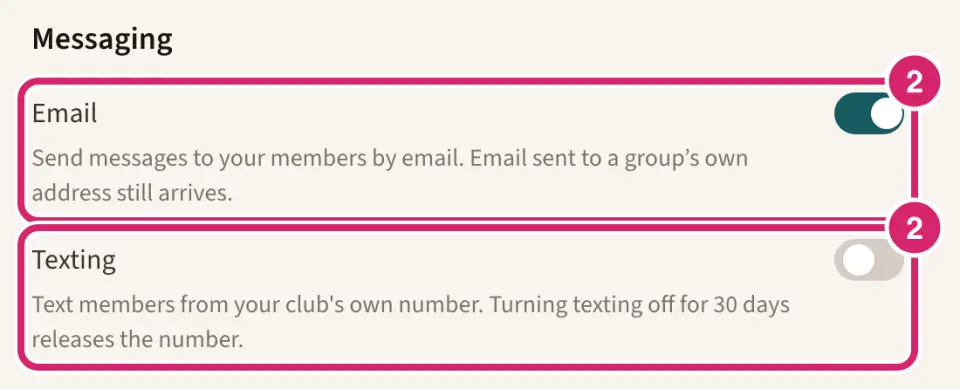
Is your club texting right now? That's Texting. It's off until you register, and turning it on before then opens the Texting tab.
On — choose it while the club texts. Anyone who can send club messages can text members who agreed.
Off — choose it for a pause, such as the off-season. Nobody can send club texts while it's off. Turn it back on within 30 days and texting works again straight away.
Should club messages go by email? That's Email. It's on for a new club.
On — choose it for almost every club. Members get club messages in their inbox.
Off — choose it when your club only texts. Nobody can send club messages by email, and scheduled emails are skipped when they come due. Texting, newsletters, email sent to a group's own address, and an announcement's official email keep working, and your sent messages are kept.
With both off, Messaging has no Compose or Sent tab. Turn either back on and both return, with your sent messages.
To turn one off, switch it off, read the warning, and select Turn off texting or Turn off email. Turning one back on takes effect straight away.
Record a member's agreement to texts
A text goes only to a member who agreed to texts from your club. Members can agree themselves: in their profile, under How your club reaches you, they turn on Text messages for their mobile number (Update your own profile). When a member tells you in person, by phone or on a paper form, record it on their record.
Watch it done in 15 seconds, or follow the steps below. The numbers in the video match the steps.
Open the member's record and select Edit. For someone new, select Add member and Enter full details (Add, change or remove a member).
Check the Cell phone. The agreement is for that number.
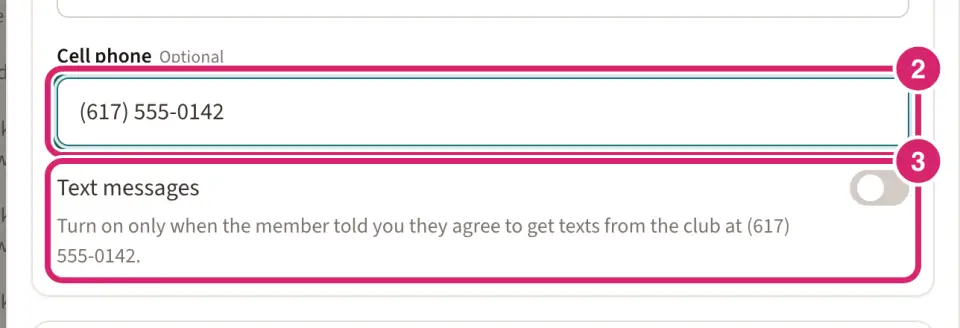
Turn on Text messages, only when the member told you they agree to get texts from the club at that number.
Select Save, or Add member for someone new.
If the number replied STOP to a club text, turning Text messages on records the member's new agreement, but texts stay blocked until they reply START to the club.
Send your first text
Once the Texting tab says Ready, go to Community › Messaging and choose Text. From shows your club's number, and a line below the message says how many text parts it is and how many of your club's monthly texts sending it uses. Send a message covers writing and sending.
Until texting is ready, Text is greyed out with the reason, such as Texting isn’t set up for this club yet. Admins get a link straight to the Texting tab.

A member's first text from your club starts with the club's name and ends with Reply STOP to opt out. Later texts are your message alone.
If something goes wrong
Fill in the fields marked above. Something required is empty, or Members agreed to these texts is off. The field shows what's missing.
An EIN is nine digits, like 12-3456789. Check the EIN against your IRS letter.
Choose a PDF, PNG or JPEG. or Choose a file under 4 MB. Attach the IRS letter as a PDF or a picture, under 4 MB.
Texting starts once your demo ends and the plan is paid. Each club's number has a monthly cost from the day it's bought, so a demo doesn't include one. Someone who manages billing can select End the demo in Billing, which takes the first payment now.
Someone changed texting at the same time. Reload the page and try again. Another admin changed texting while you were working. Reload, check what they did, and try again.
The club’s texting number is waiting for carrier approval. Texts can go out once it’s approved. The composer shows this until the review is done. Follow it on the Texting tab.