
When a payment for your club's LongTable plan doesn't go through, fix it from the Billing page before the date the club moves to Free. Add a working card or pay what's owed, and your club keeps its plan.
Why use it
A card expires, runs short or gets replaced, and the renewal fails. Nothing about the club changes straight away, so a failed payment is easy to miss until it is too late.
If the payment stays unpaid, the club moves to the Free plan on a set date. It stays open, but its paid features stop. Fixing it in time keeps every paid feature running.
Give the Billing or Treasurer role to whoever looks after the money, so the person who sees the problem can fix it. See Decide who manages your club's bill.
Give the Billing or Treasurer role to someone who reads their email. Stripe’s emails about the failed charge go to the billing contact, which we keep set to the email of a member with one of those roles.
Know when a payment has failed
You'll hear about it in three places.
The Billing page. The first line under Billing says the payment didn't go through. A red notice below the Current usage on the … plan card says what failed and why, when the card is tried again, and the date the club moves to Free if it stays unpaid.
Every other page. Admins and members with billing access see the same notice at the top of each page, with an Open billing or Pay … now button. An admin without billing access sees a shorter notice with no amounts, saying who can fix it.
Email. We email every admin, everyone with billing access and the billing contact, with the subject “… moves to the Free plan on … unless a payment is fixed”, and send a last reminder a few days before that date. Our emails name no amounts. Stripe, the company that takes LongTable's payments, emails the billing contact about the failed charge itself.
Other members see no notice. Your club keeps its plan, members and records, and members use it as usual, while Stripe tries the card again.
What happens if nobody fixes it
If the payment still hasn't gone through after Stripe's last try, the club moves to the Free plan on the date the notices named. Nothing is deleted: it stays open, with every member, page and file, but anything Free doesn't include stops. If the club has more members or files than Free allows, its member records and files become read-only. We email the same people to say so. See Move back up after your club drops to Free.
Fix the payment
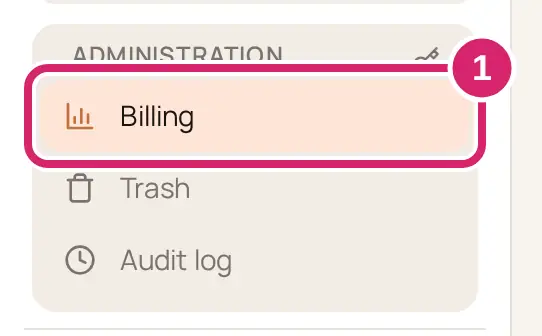
Go to Administration › Billing.
Read the red notice below the Current usage on the … plan card. It says what failed and when the club moves to Free.
Select the notice's button:
Update payment method: payment settings open in a new tab. Add a working card there. It becomes the card the club is charged on.
Pay … now: shows once a new card is saved. Check the amount and card, then select Pay … now again. The card is charged straight away instead of at the next try.
Confirm … payment: your bank wants you to confirm the payment. Its confirmation page opens in a new tab.
Back on the Billing page, wait for it to catch up. When the payment goes through, the failed-payment notice goes away and the club stays on its plan.
Change the card the club pays with
You can add a new card at any time, for example before the old one expires.
Go to Administration › Billing.
Select Payment settings.
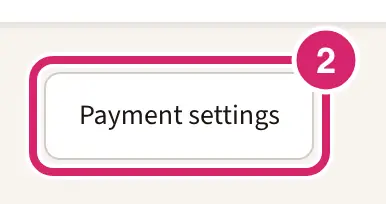
If you’re an admin, read the reminder about canceling, then select Continue to payment settings. Continuing cancels nothing. Members with the Billing or Treasurer role go straight to payment settings.
Add the new card in the payment settings that open in a new tab.
A card you add becomes the one the club is charged on. The first line of the Billing page names the card the next charge uses. The Invoices tab lists your club's LongTable invoices and whether each one is paid.
If something goes wrong
The first payment isn’t finished. Finish it in Payment settings. This is a new plan whose first payment never went through, not a renewal. Select Finish payment.
Payments are paused, so nothing is being charged. Add a payment method in Payment settings, then resume the subscription. Select Resume subscription, add a working card, then resume the plan there.
Your bank needs you to confirm the … payment. The card works, but the bank wants a check first. Select Confirm … payment and follow your bank's steps.
Plan changes aren’t available right now, so nothing was changed. Try again later. Payment settings didn't open. Try again in a little while, well before the date in the notice.
If you paid early to end your club's demo and the card was declined, the Billing page says the club keeps its demo allowances until the first payment goes through. Fix it with the notice's button, as above.