
A disputed payment is a payment to LongTable that the person whose card paid it asked their bank to take back. While the bank decides, nothing changes. If the bank takes the money back, your club moves to the Free plan that day. It stays open, and nothing is deleted.
Why use it
Know what happened when your club suddenly shows Free, and that nothing was deleted.
Don't dispute a LongTable charge to stop paying. A dispute cancels nothing. To pay less, move to Free; to stop for good, cancel. See Change or cancel your plan.
Don't recognize a charge? Ask your treasurer, and look on the Invoices tab of Administration › Billing, before anyone calls the bank.
Payment emails go to your club’s billing contact, the email of a member with the Billing or Treasurer role. Give that role to someone who reads their email, so payment problems are seen in time.
What happens to your plan
Here is what happens to the club at each stage of a dispute:
While the bank decides: nothing changes. The club keeps its plan and features, and members notice nothing.
If the bank decides for LongTable, or closes the dispute with no decision: nothing changes.
If the dispute is lost: the bank takes the money back, and your club moves to the Free plan that day.
Once the club is on Free:
The club stays open, members keep signing in, and nothing is deleted.
Paid features switch off. What you made with them is kept.
If the club has more members or files than Free allows, it becomes read-only until it fits again.
The dispute is between the card holder's bank and LongTable. There's nothing for your club to answer or send inside LongTable.
Know how you find out
LongTable tells your club only when a lost dispute moves it to Free:
We send no email when a dispute starts, or when the bank decides for LongTable.
When a lost dispute moves the club to Free, we email every admin, everyone with billing access and the club's billing contact, with the subject “… is now on the Free plan”. It says the payment was disputed and the club lost the dispute, and how to move back up. It can arrive a little after the change.
The Billing page says so too. Members get no email.
Check which plan your club is on
Go to Administration › Billing.
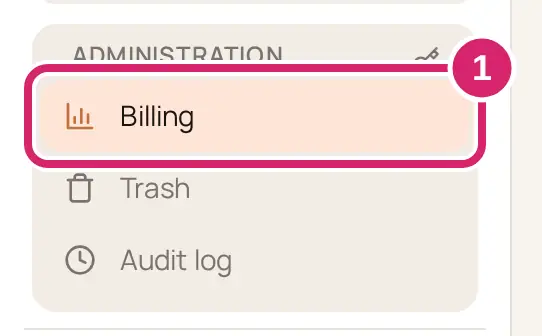
Read the first line under Billing. After a lost dispute it says the club is on Free because a payment was disputed and the dispute was lost. The usage card's heading reads Current usage on the Free plan, and the notice below it says how to start a paid plan again.
If something goes wrong
You don't see Billing in the menu. You don't have billing access. Ask an admin for the Treasurer or Billing role.
Nobody in the club disputed a payment. The card holder's bank may have started it, for example after a card was reported stolen. Ask whoever's card paid the plan to check with their bank.